


As businesses grow, everyday processes become more difficult to manage. HR teams juggle hiring, onboarding, time tracking, and payroll. Finance manages approvals and expenses. Managers chase updates and deadlines. When these processes rely on manual work or disconnected tools, teams lose time and mistakes increase.
Business process management software helps companies organize, automate, and improve how work gets done. It replaces scattered workflows with clear, repeatable processes that are easier to manage and scale. BPM tools give leaders visibility into operations while helping teams work faster and with fewer errors.
In 2026, companies cannot afford slow or unclear processes. The right BPM platform can reduce manual tasks, improve collaboration across departments, and support smarter decision making. This guide explains what BPM software is, why it matters, and which tools stand out for businesses today, including Factorial.
What is Business Process Management (BPM) Software?
Business Process Management, or BPM, software is a tool that helps companies design, manage, and improve their internal processes. A process can be anything from approving and managing paid time off to onboarding a new employee, processing payroll, or handling expense requests.
At its core, business process management software maps out how work should flow from start to finish. It defines who is responsible for each step, what information is needed, and what happens next. Once the process is set up, the software helps automate tasks, send reminders, and track progress in real time.
For example, instead of approving requests through emails and spreadsheets, BPM software can route approvals automatically to the right people. If something gets delayed, managers can see exactly where the process is stuck and why. A prime example of where BPM software comes in handy is the contract approval workflow.
Most BPM tools include features like workflow automation, task tracking, document management, and reporting. These features help teams follow processes consistently while reducing the amount of manual work they need to do. They also make it easier to adjust workflows to suit specific needs as the business changes.
For HR teams and business leaders, BPM software creates a single source of truth for how work gets done. Instead of relying on guesswork or outdated documents, everyone in the organization follows the same process. The outcome? Consistency, fewer errors, and smoother operations across the company.
Why Business Process Management Software is Crucial for Your Company
Many companies do not notice process problems until they begin to slow the business down. Tasks take longer than expected. Approvals get stuck. Employees rely on guesswork instead of clear steps. Over time, these issues hurt productivity and increase costs.
According to statistics, only 12 percent of US employees say their company has a good onboarding process. This is often a sign of a bigger issue. If onboarding is unclear or inconsistent, it usually means other processes are too. Hiring, payroll, performance reviews, and approvals often suffer from the same lack of structure.
Business process management software helps fix this by creating clear, repeatable workflows across the company, removing any confusion around who does what and when. For employers, this results in fewer delays, fewer errors, and and a better experience for employees from day one.
As your teams grow, relying on manual processes becomes harder to manage. New hires take longer to get productive. Managers spend time chasing updates instead of leading and focusing on strategy. BPM software adds structure so businesses can scale without all the chaos.
There is also real urgency to improve how work gets done. Employees expect modern tools and clear processes. Customers expect fast and consistent service. Companies that do not invest in better workflows risk falling behind competitors that operate more efficiently.
Benefits of a BPM
Business process management software delivers value across many areas of the business, especially for HR and operations teams.
Key benefits include:
- Automation of repetitive tasks like approvals, notifications, and data entry, reducing manual work
- Better visibility into workflows so managers can see progress and spot delays early
- Consistent processes across HR, finance, payroll, and IT, reducing errors and compliance risks
- Improved collaboration by breaking down silos between departments
- Faster onboarding and training through clear, documented processes
- Ongoing process improvement using data and reporting to identify what needs to change
By standardizing how work flows across teams, BPM tools help businesses run more smoothly. Employees spend less time fixing problems and more time focusing on meaningful work.
How to Choose the Best Business Process Management Software for Your Needs
Not all business process management software is the same. Some tools are built for large enterprises, while others are better for small and mid-sized businesses. Choosing the right BPM platform starts with understanding your company’s needs and how your teams work today.
Before comparing tools, it helps to look at your current processes. Identify where work slows down, where mistakes happen, and where teams rely on manual steps. These areas often benefit the most from BPM software.
When evaluating options, there are two main things to consider: the features of the software and how well it fits your business.
Key Features to Look For
A good BPM platform should make work easier, not more complex. The most useful features include:
- Workflow automation to move tasks, approvals, and requests forward without manual follow-ups
- Easy process setup so teams can build and adjust workflows without technical skills
- Integration with existing systems like HR, payroll, finance, and accounting tools
- Reporting and analytics to track performance and identify bottlenecks
- Role-based access to ensure the right people see and act on the right information
- These features help teams reduce busywork and maintain clear ownership across processes.
Business Factors to Consider
Your business context matters just as much as the software itself. When choosing a BPM tool, consider:
- Company size and growth plans so the software can scale as your team expands
- Customization options to adapt workflows to your existing processes (incl. integrations)
- Ease of use to ensure adoption across HR, finance, and operations teams
- Pricing and total cost including setup and training
For many companies, especially growing businesses, simplicity and flexibility are key. A BPM tool should support daily work without requiring a long time to set up or too much technical support.
Choosing the right business process management software sets the foundation for better collaboration, faster workflows, and more efficient operations across the entire organization.
Top Business Process Management Software in 2026
There is no single BPM tool that works for every business. Some platforms focus on HR and everyday operations, others on project workflows or deep process automation. The tools below cover a range of business needs, sizes, and budgets.
1. Factorial
Best for: Small to mid-sized businesses looking for one platform to manage HR and operations
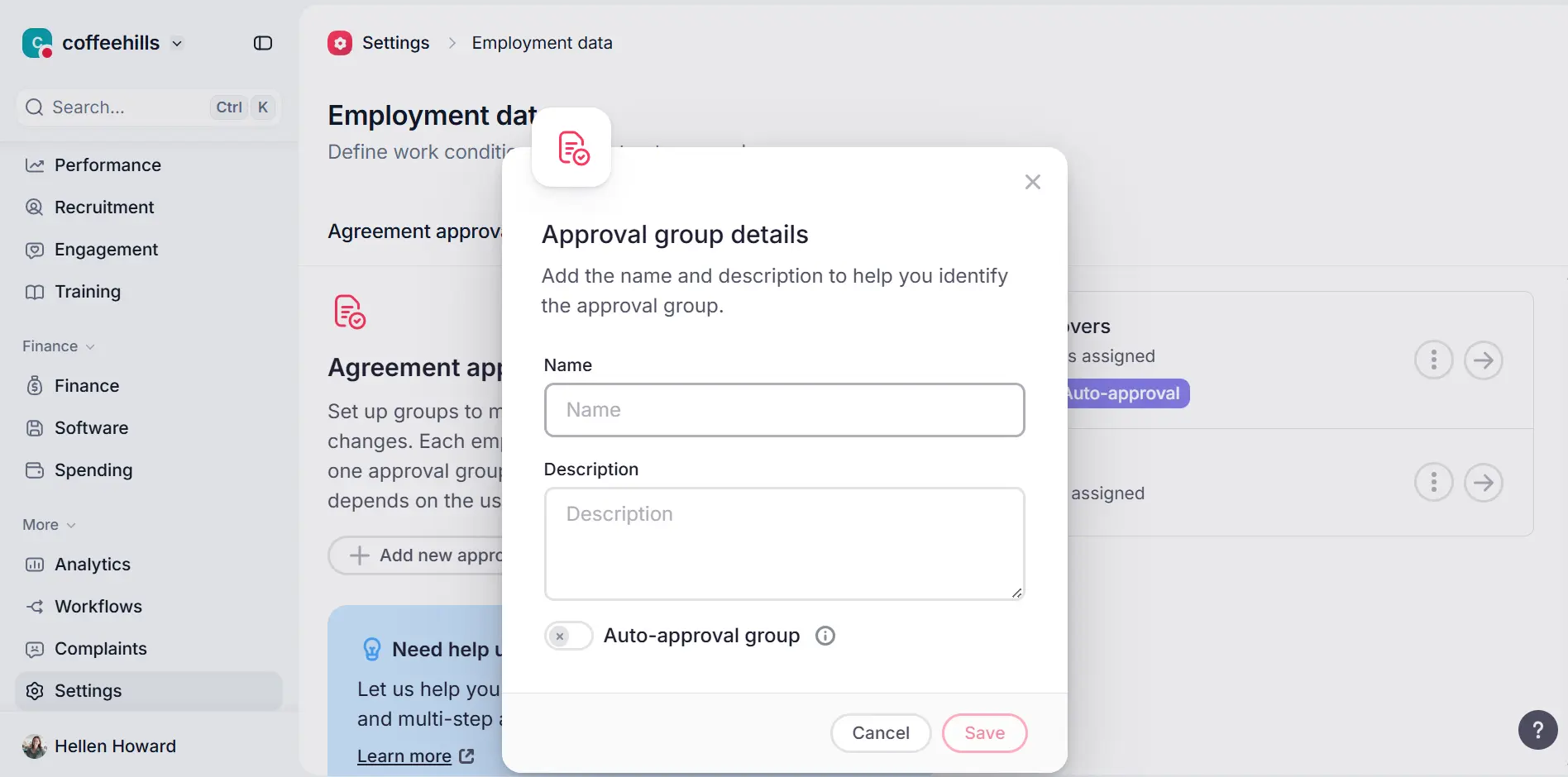
Factorial combines HR operations with business process management software. Rather than separate tools for hiring, approvals, and time tracking, companies can manage many processes in one place. Factorial is a great option when it comes to software for business management.
Key features:
- Workflow automation for onboarding and approvals
- Centralized employee data and document storage
- Time off and expense management
- Reporting for HR and business teams
Pricing: Per employee, per month pricing that scales with features and company size.
Customer feedback: Users like how easy it is to use and how it helps centralize HR operations. Some note that advanced custom automation options are limited compared with enterprise tools.
2. Monday.com
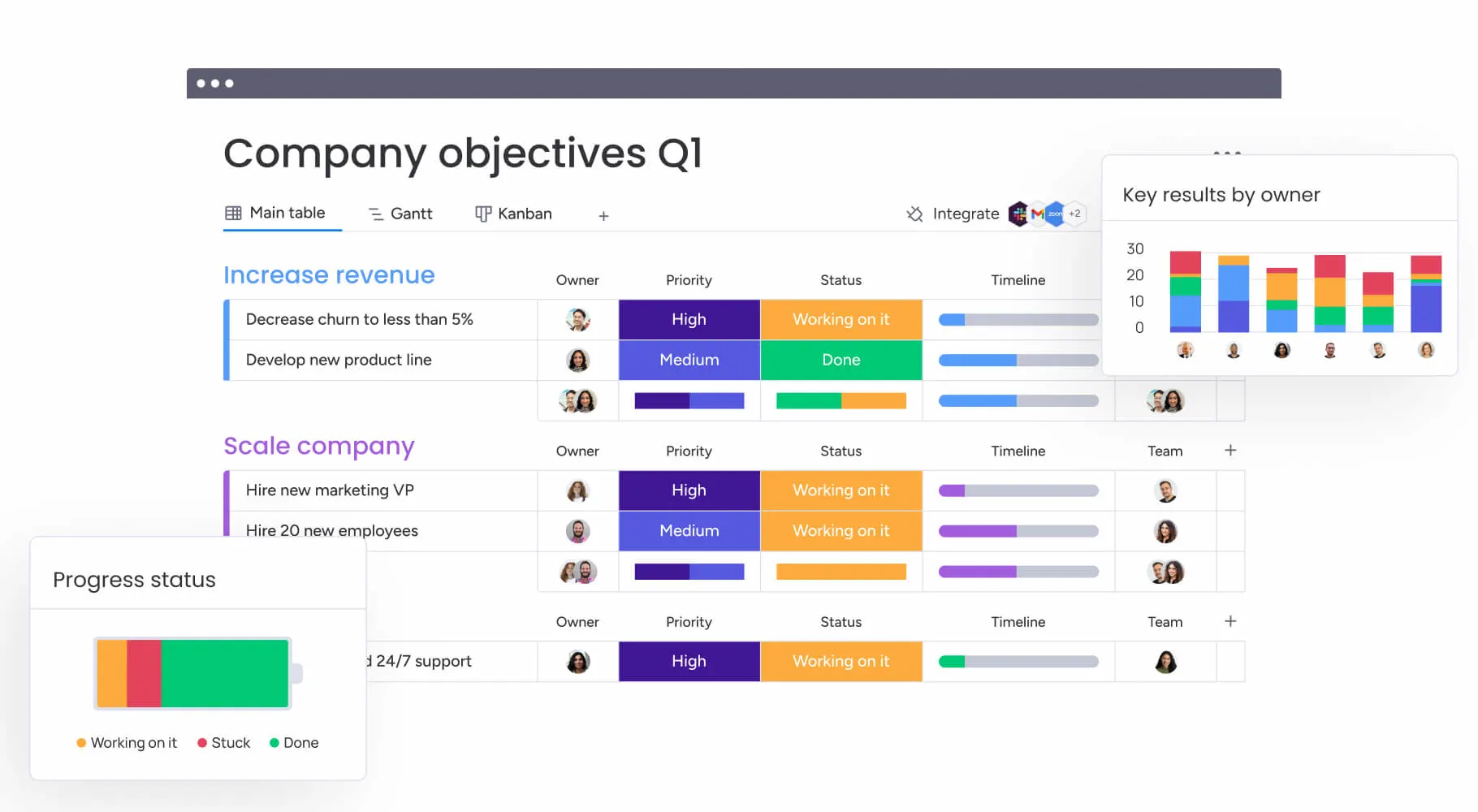
Best for: Teams that want visual workflow management across departments
Monday.com uses boards and color-coded views to help teams track work and automate approvals without coding.
Key features:
- Visual workflow boards
- Automation rules
- Dashboards and reporting
- Integrations with common business tools
Pricing: Tiered per user per month pricing. Higher tiers unlock more automation and reporting.
Customer feedback: Strong for collaboration, but costs can rise for larger teams.
3. Zoho Creator
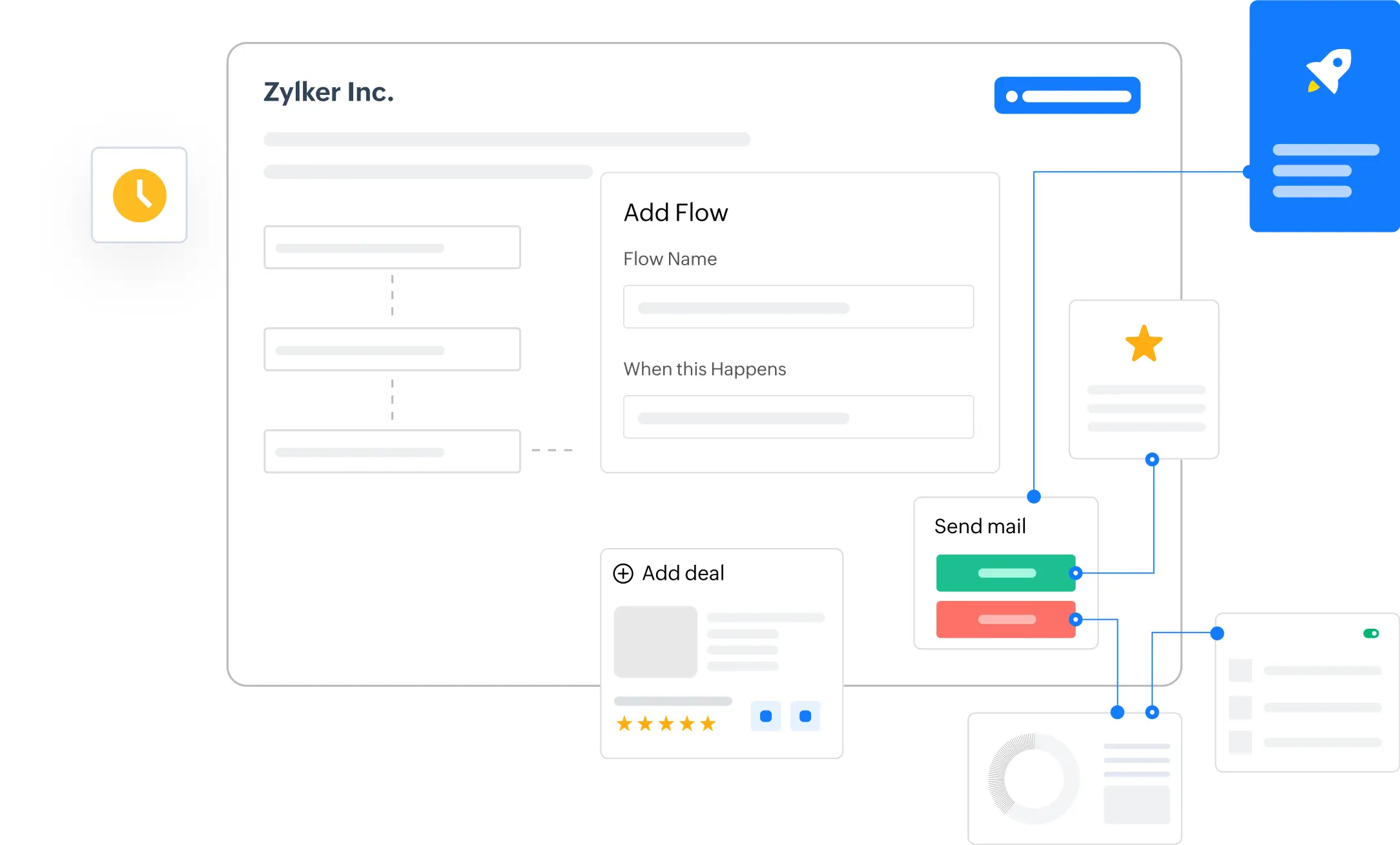
Best for: Businesses that want custom-built workflows and apps
Zoho Creator lets companies design their own process apps using a low-code editor. It fits well with the broader Zoho suite.
Key features:
- Low-code app building
- Custom workflows and forms
- Integration with other Zoho tools
- Analytics and dashboards
Pricing: Flexible, usage-based pricing.
Customer feedback: Great customization, but non-technical setup takes time.
4. Wrike
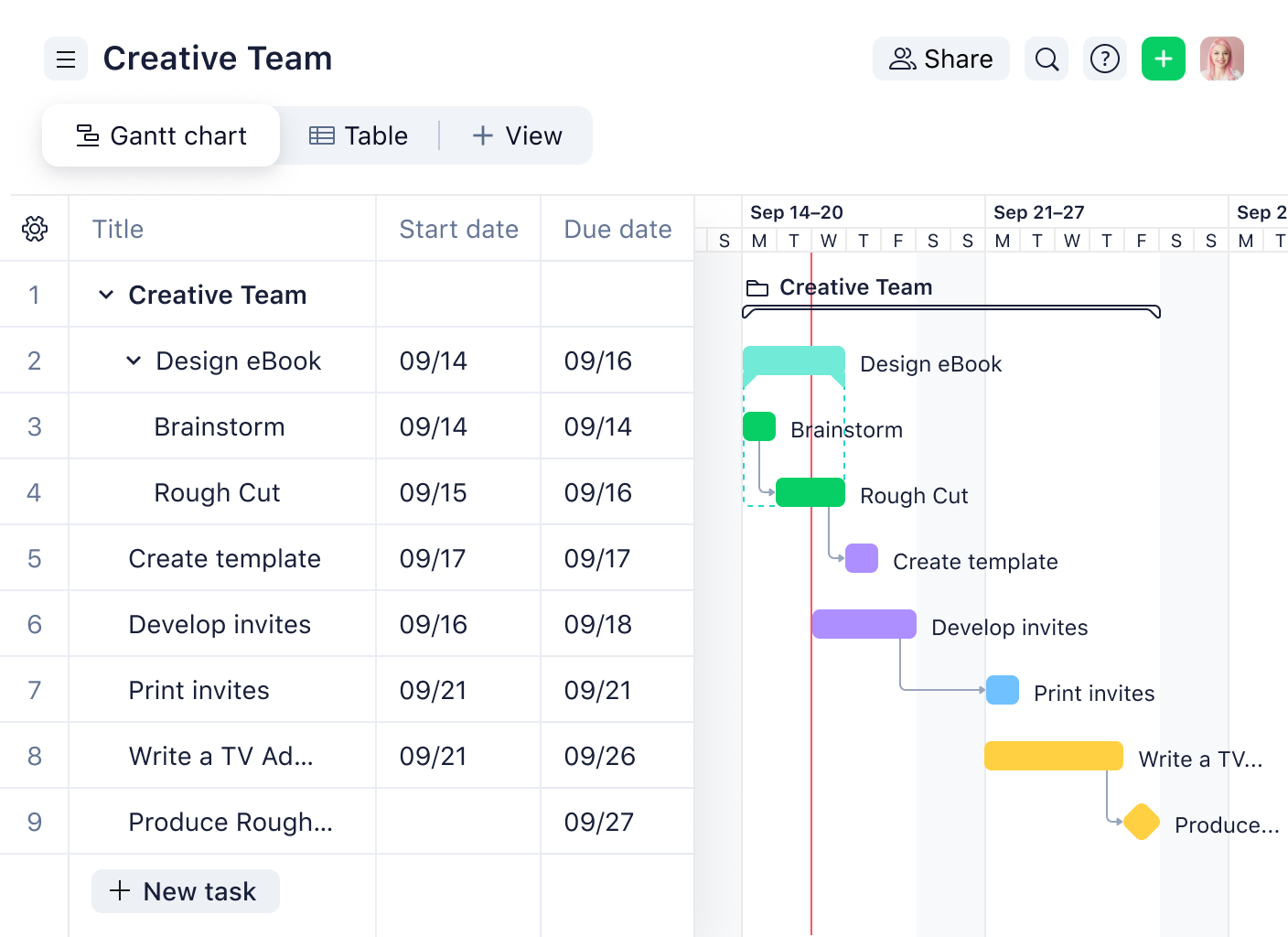
Best for: Project-driven teams managing structured workflows
Wrike blends business process management software-style workflows with project management features, like timelines and dependencies.
Key features:
- Task automation and templates
- Project tracking and dependencies
- Workload views
- Reporting tools
Pricing: Multiple tiers, with advanced features on higher plans.
Customer feedback: Highly structured but can be complex at first.
5. Appian
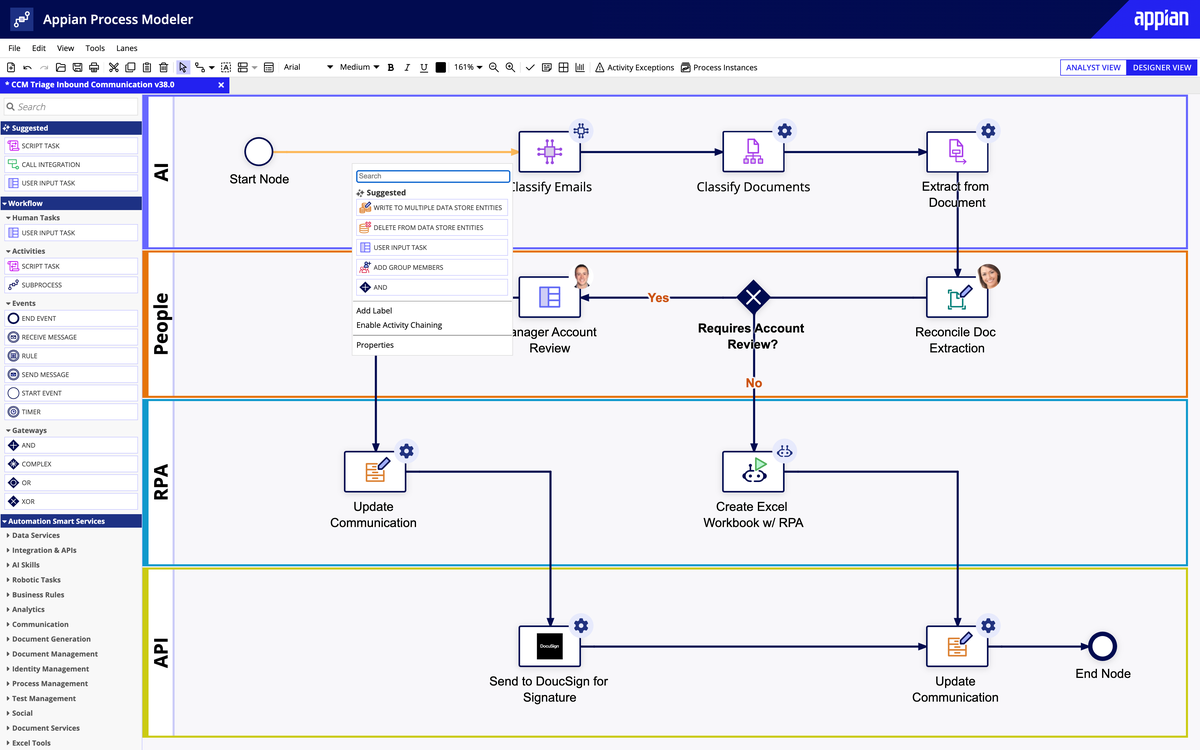
Best for: Large organizations with complex process needs
Appian is a powerful enterprise BPM and low-code automation platform. It fits well with regulated industries and deep system integrations.
Key features:
- Enterprise workflow automation
- Custom applications
- Compliance and governance tools
- Strong integrations
Pricing: Enterprise-level pricing.
Customer feedback: Extremely capable but requires technical expertise.
6. Kissflow
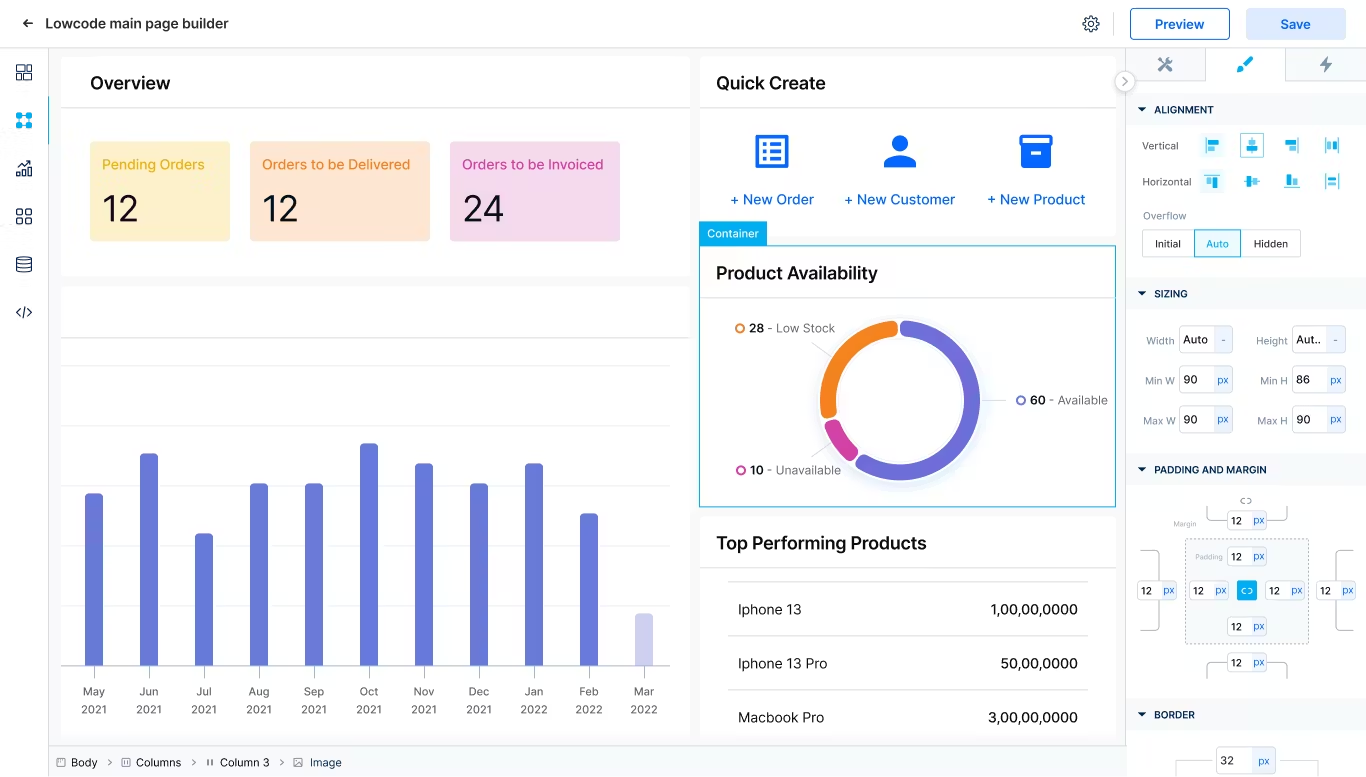
Best for: Mid-sized businesses seeking simple BPM with automation
Kissflow is a cloud-based BPM tool built for companies that want to create and run workflows without coding.
Key features:
- Prebuilt workflow templates
- No-code automation builder
- Real-time workflow tracking
- Reporting dashboards
Pricing: Tiered monthly pricing, usually per user or per process package.
Customer feedback: Users like how quickly workflows can be built. Some note that deeper customization may require support.
7. Nintex
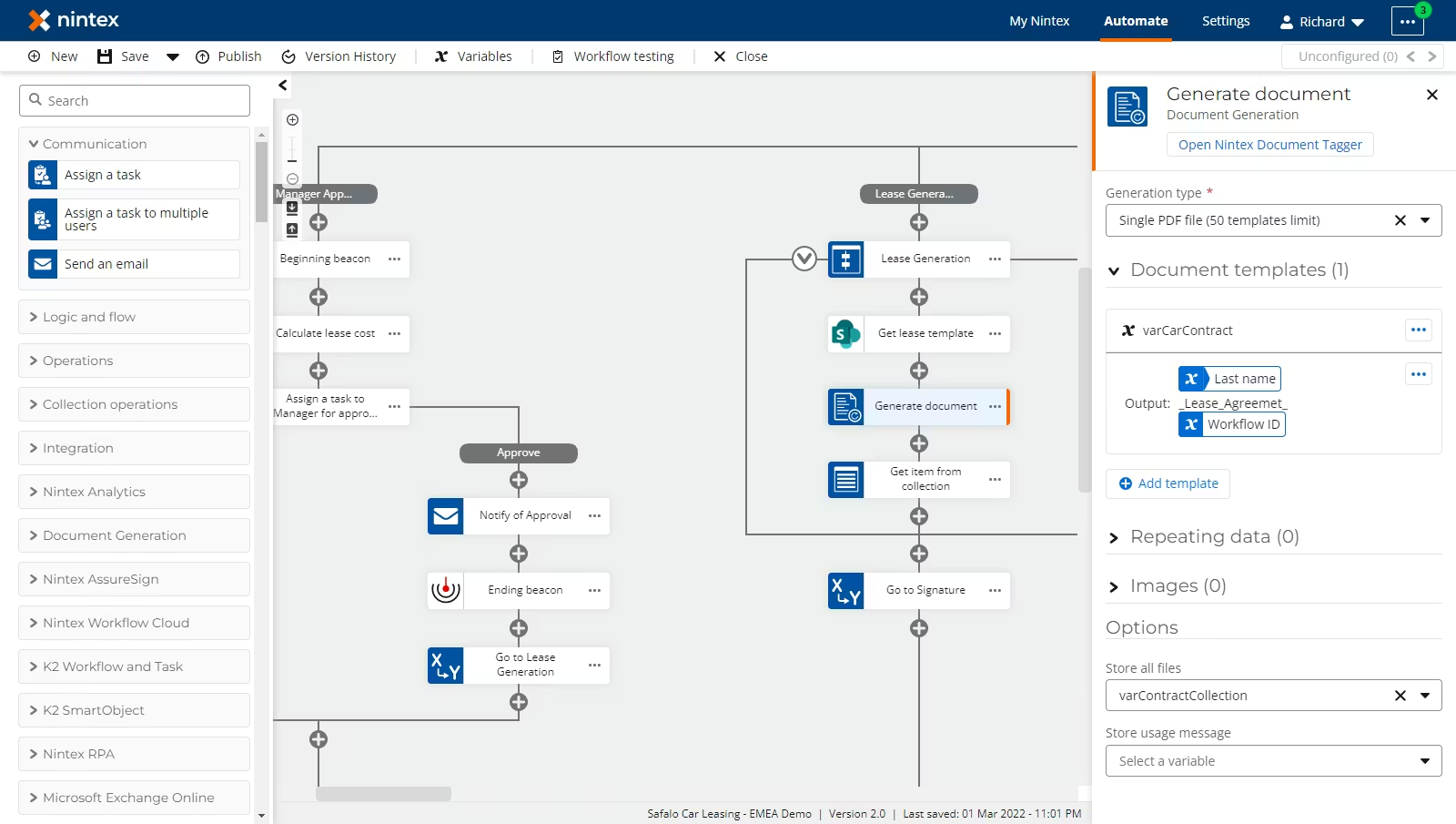
Best for: Businesses that need advanced process automation and document generation
Nintex focuses on workflow automation and document generation. It integrates with Microsoft tools and other systems to automate complex business processes.
Key features:
- Workflow automation builder
- Document generation and e-signatures
- Integration with Microsoft 365 and more
- Process mapping and analytics
Pricing: Subscription pricing varies by features and user numbers.
Customer feedback: Many appreciate its automation power. Some say initial setup can take effort.
8. Process Street
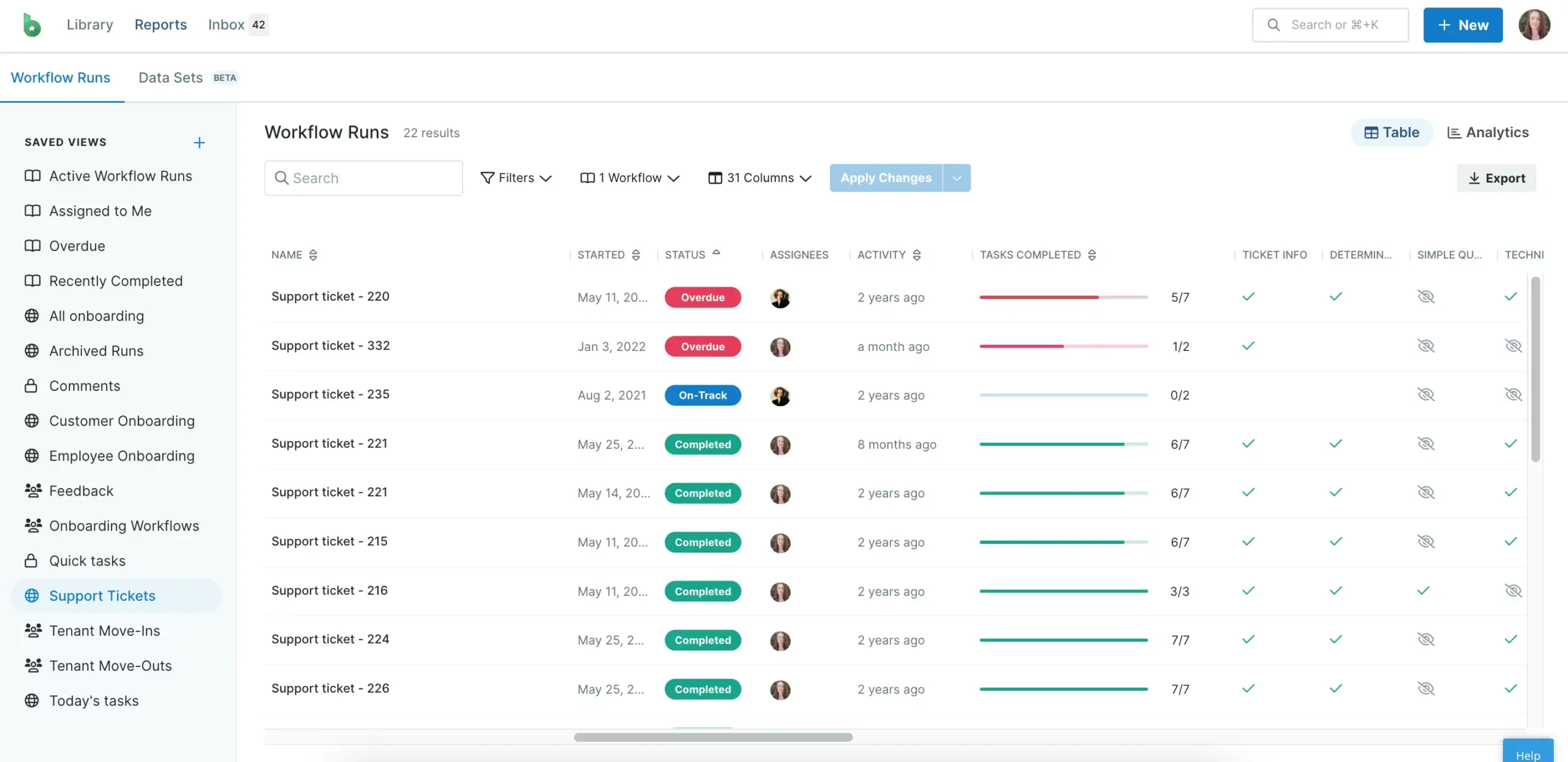
Best for: Teams needing simple, checklist-style process tracking
Process Street focuses on workflows that run in checklist form. It works well for recurring processes like onboarding, compliance checks, and audits.
Key features:
- Simple checklist-based workflows
- Conditional logic for steps
- Template library
- Team assignments and tracking
Pricing: User-based pricing with business and enterprise tiers.
Customer feedback: Very easy to use and quick to set up. Not as strong for deep automation without integrations.
9. Pipefy
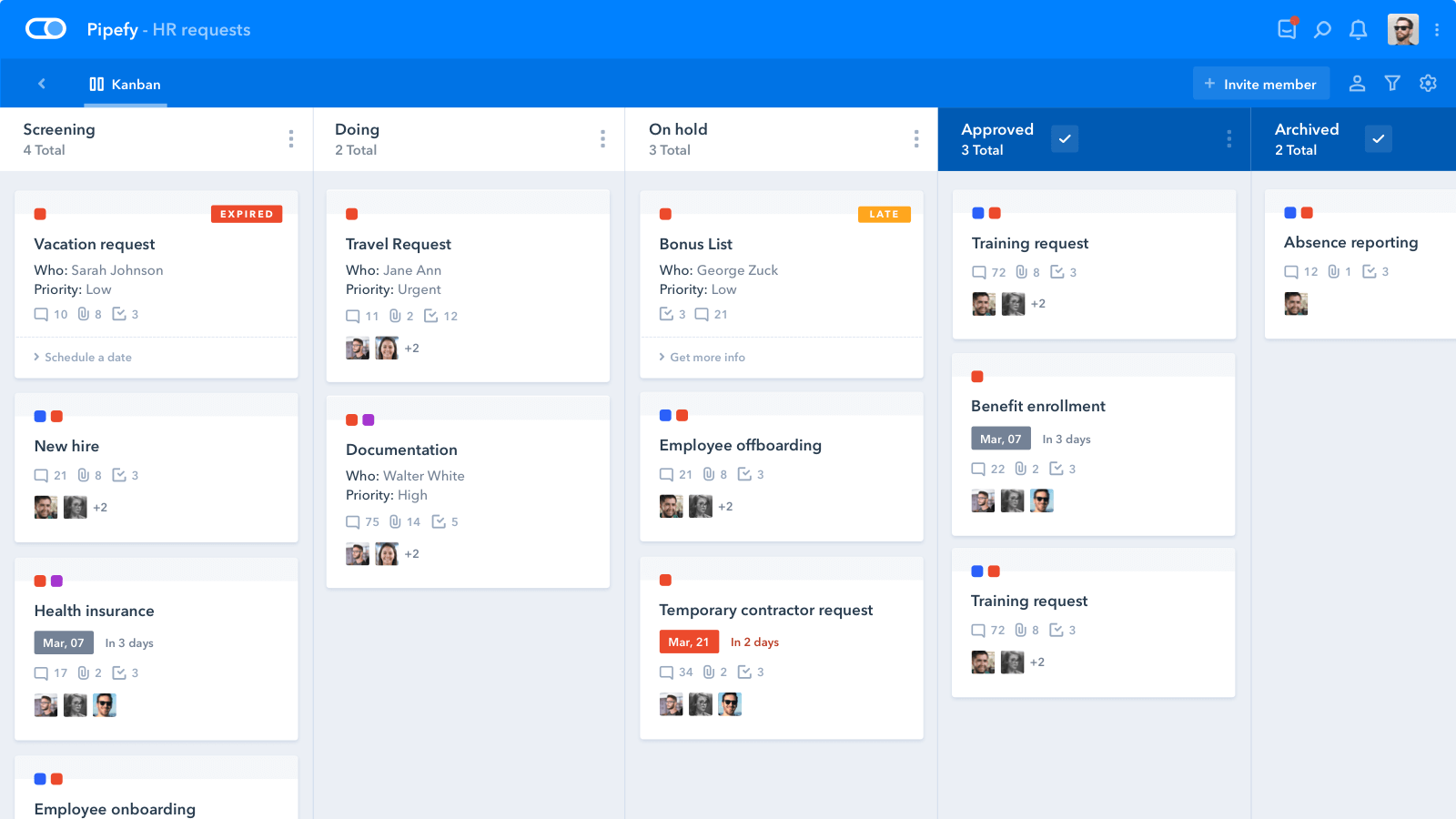
Best for: Businesses that want flexible, visual workflows with automation
Pipefy lets teams build workflows with visual cards and automation rules. It suits HR, finance, operations, and customer service teams.
Key features:
- Visual workflow builder
- Automation and rules
- Integration options
- Reporting and metrics
Pricing: Tiered per user pricing with more automation in higher plans.
Customer feedback: Users like the visual approach and customization. Some say advanced features require higher pricing tiers.
10. Camunda
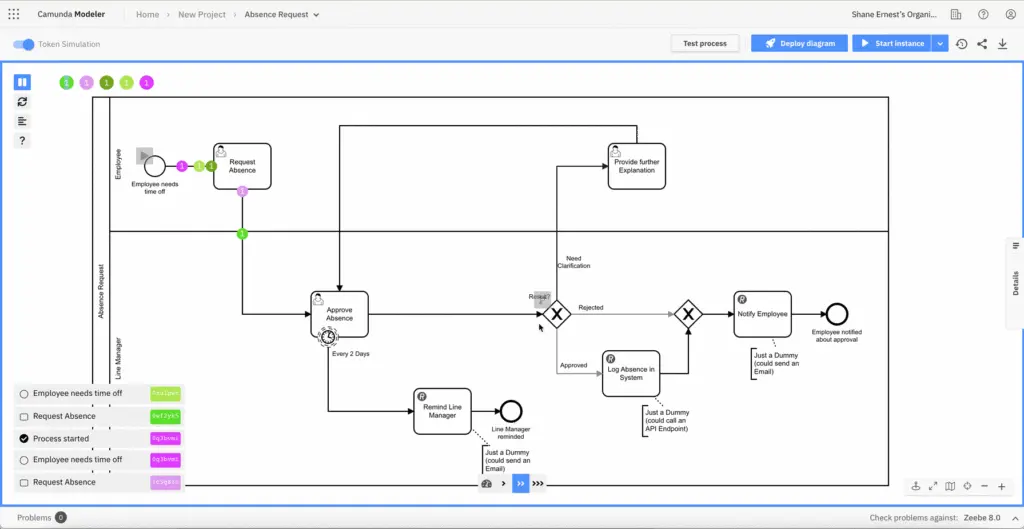
Best for: Technical teams building complex, programmable workflows
Camunda is a developer-friendly BPM platform focused on deep process automation. It is often used where processes need custom logic or tight integration with back-end systems.
Key features:
- BPMN workflow engine
- Strong developer API
- Process monitoring and metrics
- Integration with enterprise systems
Pricing: Open source with enterprise support options.
Customer feedback: Loved by technical teams for flexibility. Not ideal for non-technical users.
Business Process Management Software Comparison Chart
The chart below gives a comparison of the BPM tools covered in this guide. It highlights what each platform is best for and general pricing approach to help you narrow down your options quickly.
| Platform | Best for | Pricing (starting) | Highlight feature |
|---|---|---|---|
| Factorial | Small to mid-sized businesses | Per employee, per month | All-in-one HR and operations workflows |
| Monday.com | Cross-team workflow tracking | Per user, per month | Visual workflow boards |
| Zoho Creator | Custom-built workflows | Usage-based | Low-code app creation |
| Wrike | Project-based teams | Per user, per month | Structured project workflows |
| Appian | Large enterprises | Custom enterprise pricing | Advanced process automation |
| Kissflow | No-code workflow automation | Tiered subscription | Easy workflow setup |
| Nintex | Document-heavy processes | Subscription-based | Document automation |
| Process Street | Recurring processes | Per user, per month | Checklist-style workflows |
| Pipefy | Visual process management | Per user, per month | Card-based automation |
| Camunda | Technical and developer teams | Open source + enterprise | Developer-driven workflows |
This comparison shows that BPM tools vary widely in focus and complexity. Some platforms are built for technical teams, while others prioritize ease of use and fast setup. The right choice depends on how your teams work and how much structure and automation you need.
What BPM Software is Best for Your Business?
Choosing the right BPM software depends on your business size, team structure, and the type of processes you want to improve. There is no one-size-fits-all solution, but some general guidelines can help.
Small businesses often need simple tools that are easy to set up and use. They benefit from platforms that can centralize HR, approvals, and basic workflows without requiring IT support.
Mid-sized businesses usually need more automation and reporting. At this stage, workflows often involve multiple departments, so collaboration and visibility become critical.
Large enterprises require tools that can handle complex, multi-step processes, integrate with multiple systems, and provide advanced analytics and compliance features.
When looking at these needs, Factorial stands out. It combines HR, payroll, finance, and operational workflows in one platform. This means teams do not have to switch between multiple tools to manage tasks like onboarding, approvals, or expense management. Factorial is also scalable, so as your company grows, the system can grow with you without needing a complete overhaul.
For enterprises, Factorial offers the structure and visibility needed to coordinate multiple departments. Leaders can see where processes are slowing down, track approvals, and make informed decisions based on real-time data. At the same time, employees get a simple, user-friendly experience that keeps them focused on their work instead of chasing paperwork.
Other tools may excel in certain areas, like complex automation or advanced project tracking, but Factorial’s all-in-one approach makes it easier for growing companies to streamline operations and maintain control over everyday processes.
In short, if your goal is to reduce manual work, improve collaboration across departments, and provide a consistent workflow experience for employees, Factorial is often the most practical and scalable choice.
Invest in Factorial to Boost Efficiency
Effective workflows and clear processes are critical for businesses that want to run smoothly and grow. Factorial brings HR, payroll, finance, and operations together in one platform, helping teams reduce repetitive tasks, gain visibility into workflows, and scale without adding complexity.
With the right BPM tool like Factorial, companies can save time, lower costs, and give employees more bandwidth to focus on impactful work.
Take the next step: Book a demo with Factorial today to see how a single platform can streamline your processes, automate approvals, and improve collaboration across your teams.
Disclaimer:
The information presented on this page is based on publicly available sources. The comparisons between Factorial and other providers are intended solely for the illustration of the respective software features, pricing and functionalities. All information regarding features, prices, and integrations may be subject to change without prior notice. Factorial assumes no liability for the accuracy, completeness, or timeliness of the information presented. We recommend contacting the respective providers directly to obtain the most accurate and up-to-date information. All legal regulations regarding Spanish fair advertising and competition law are fully observed by us; if you have any concerns, please reach out to us. The comparisons presented do not constitute a final evaluation or recommendation for any provider, but serve solely as an informational source.